
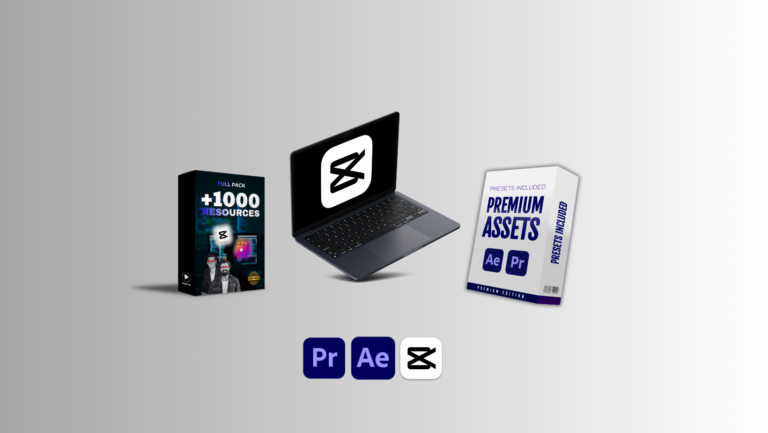
Capcut Mastery Course + Full Pack of Video Editing Assets + Premium Assets
A Complete Breakdown of the Ultimate Editing Bundle for Modern Content Creators
Video editing has become one of the most essential skills in today’s digital world, especially for creators, influencers, brands, freelancers, and anyone who wants to deliver content that stands out.
This article provides a comprehensive deep dive into how a complete CapCut learning experience can elevate your editing capabilities, why a curated collection of assets matters, and what you can expect from a powerful package that offers training, resources, and premium-grade materials for real-world content creation. By the end of this guide, you will fully understand the value of mastering CapCut and using professional assets to elevate your videos instantly.
Why CapCut Has Become the World’s Most Popular Editing Tool
CapCut has changed the landscape of mobile and desktop editing because it offers professional-level features with a simple, intuitive interface. Its powerful toolkit allows users to produce videos that look highly polished without requiring complicated workflows. This makes it a preferred choice for creators working on TikTok, Instagram Reels, YouTube Shorts, promotions, event recaps, travel content, and education videos.
The Core Advantages of Using CapCut
Beginner-friendly interface designed for fast editing
CapCut’s layout helps new editors understand cutting, layering, transitions, effects, and audio alignment without confusion.Professional-grade capabilities built into free tools
Many transitions, visual effects, and audio controls match what paid editors provide.Seamless integration with social media platforms
Exporting directly to multiple platforms saves time and maintains quality.Access to templates and presets that speed up workflow
Templates help editors save time when producing repetitive formats like reels or weekly posts.AI-based features for instant enhancements
Auto captions, noise reduction, AI background removal, and face recognition simplify editing dramatically.
These benefits create a strong foundation, but true mastery requires structured guidance, practice, and professional editing materials that allow you to build visually appealing videos without wasting hours searching for the right resources. That’s where a complete mastery program and asset bundle becomes extremely valuable.
The Power of Learning Through a CapCut Mastery Course
Many creators use CapCut, but few actually understand how to use its full potential. A guided learning experience helps unlock features and workflows that most casual users never discover. Mastery leads to faster editing, cleaner visuals, and more impactful storytelling.
What a Proper Mastery Course Should Teach You
1. Foundation and Interface Overview
A strong course begins by introducing the interface layout, navigation basics, toolbar functions, and workflow structure. When a creator understands the environment, they work more confidently and complete projects efficiently.
2. Mastering the Timeline and Layering
Timeline management is essential because it influences how smooth and cinematic your edits feel. A detailed module on layering, trimming, keyframing, splitting, and timing helps you craft polished, dynamic content.
3. Visual Effects and Motion Enhancements
Many beginners struggle with choosing the right effects. Proper instruction helps you understand how to use motion blur, 3D transitions, overlays, blending modes, and speed ramping without overusing effects.
4. Color Grading and Cinematic Tones
Color sets the mood, style, and emotional impact of your content. Training on LUT use, manual color grading, contrast balancing, and highlight-shadow control helps your videos look professional.
5. Audio Design and Sound Syncing
Audio is responsible for more than half of the viewer’s emotional response. A complete course covers beat syncing, noise removal, sound layering, volume automation, and effective soundtrack selection.
6. Captions, Text Design, and Typography Styles
Modern videos rely heavily on on-screen text, especially for social media formats. A mastery course teaches typography principles, clean layout techniques, and motion text creation.
7. Export Settings for Different Platforms
Each platform requires specific dimensions, formats, and quality settings. Training should clarify how to optimize content for TikTok, YouTube, Instagram, and Facebook Reels.
Learning these elements through a structured program significantly speeds up your editing progress because you gain step-by-step guidance instead of spending months experimenting and guessing.
Why Editing Assets Are Essential for Professional-Quality Videos
While learning editing techniques is important, having the right resources is equally crucial. Assets can transform ordinary footage into visually appealing videos without requiring expensive equipment or hours of design work.
Types of Editing Assets That Improve Your Workflow
1. Transitions and Motion Effects
High-quality transitions make a big difference in storytelling because they help maintain flow between clips. Ready-made effects save time and produce consistent results.
2. Overlays and Visual Enhancements
Lens flares, light leaks, particles, dust effects, film grains, and cinematic overlays instantly elevate production quality.
3. LUTs and Color Presets
Color presets give your videos a specific aesthetic instantly. Having a pack of curated LUTs helps maintain consistency across multiple videos.
4. Sound Effects and Background Scores
High-quality audio assets such as swooshes, clicks, drones, cinematic hits, and soft background tracks add depth and energy to your edits.
5. Text Templates and Callouts
Pre-designed text elements help you create captions, labels, and information pop-ups that look polished.
6. Stickers, Emojis, and Motion Graphics
These elements enhance engagement and make content look more dynamic, especially for social platforms.
When all these asset categories come together in one package, editors can produce premium-quality videos without spending thousands on individual resources.
What Makes a Full Pack of Resources Valuable
A complete asset bundle should offer variety, quality, and ease of use. It needs to cover multiple editing styles, so you can create travel videos, cinematic shorts, marketing posts, educational content, product clips, and entertainment reels without searching for separate materials.
Features to Expect in a High-Quality Asset Pack
A large variety of resource categories for multiple editing styles
Easily importable formats compatible with CapCut
Premium-grade audio and graphic materials
Organized folders for fast selection
Regularly used assets like transitions, overlays, text templates, shapes, backgrounds, and stickers
Elements that work for both personal and professional projects
With such a pack, creators no longer need to search for assets online, worry about licensing issues, or waste money buying individual items.
How Premium Assets Push Your Videos to Professional Standards
Premium assets offer a noticeable quality jump compared to basic or free resources. The precision, color richness, cinematic design, and clean motion provide a polished finish that makes content look studio-produced.
Benefits of Using Premium-Quality Assets
1. More Cinematic Visual Appeal
Professional overlays and color grades create a movie-like experience, even if the footage is recorded on a phone.
2. Faster Editing and Workflow Efficiency
High-quality pre-built elements reduce manual editing time significantly.
3. Increased Viewer Engagement
Better visuals hold attention longer, improving watch time across platforms.
4. Strong Brand Identity
Consistent visuals help creators establish a recognizable style.
5. Higher Client Value for Freelancers
Premium assets increase production quality, allowing editors to charge more for their services.
These benefits demonstrate why investing in a bundled course and assets creates long-term value for content creators.
Who Should Use This Complete Training and Asset Bundle
Content Creators and Influencers
Ideal for those producing daily or weekly content requiring clean visuals and fast turnaround.
Freelance Video Editors
A perfect way to enhance quality and speed, helping freelancers attract clients and deliver professional results.
Small Business Owners and Marketers
Those running ads, product promotions, or brand storytelling can create more polished content without hiring editors.
Beginners Wanting to Learn Editing From Scratch
The course provides step-by-step guidance, making it easy for newcomers to grow their skills.
Professional Editors Seeking Additional Resources
Even advanced editors benefit from premium assets that simplify workflows and elevate visual quality.
Final Thoughts: Why This Complete Bundle Is a Game-Changer
A comprehensive training program combined with a full library of editing materials provides everything you need to create professional-quality videos. Instead of learning through scattered tutorials and downloading random assets online, you get a structured path that ensures consistent progress and polished results. This combination helps you develop editing confidence, improve creativity, reduce editing time, and produce visually stunning videos that stand out in today’s competitive content landscape.

Reviews
There are no reviews yet.