
Introduction
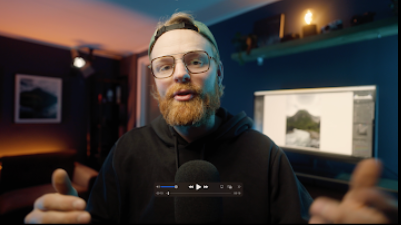
Photography is no longer just about capturing a moment—it’s about transforming that moment into a visual masterpiece. In today’s digital era, post-processing plays a crucial role in defining the final image. That’s where Arnulfur Hakonarson – The Lightroom Masterclass stands out as a game-changing resource for photographers at every level.
This masterclass is designed to bridge the gap between raw photography and professional-grade editing. Whether you are a beginner trying to understand the basics or an experienced photographer aiming to refine your workflow, this course provides a structured, practical, and deeply insightful approach to mastering Adobe Lightroom.
Why This Masterclass Stands Out
Unlike generic editing tutorials, this masterclass focuses on real-world application. Arnulfur Hakonarson brings a unique teaching style that blends creativity with technical precision.
Key Highlights:
- Step-by-step editing breakdowns
- Real project-based learning
- Professional workflow strategies
- Advanced color grading techniques
- Time-saving editing methods
This is not just about learning tools—it’s about understanding how to think like a professional editor.
Understanding Lightroom from the Ground Up
One of the strongest aspects of this masterclass is how it simplifies Lightroom’s interface and tools.
Core Modules Covered:
1. Lightroom Interface Mastery
You’ll start by understanding:
- Library vs Develop module
- File organization techniques
- Catalog management for efficiency
This foundation ensures that you never feel lost inside the software again.
2. RAW Image Editing Fundamentals
Editing RAW images is where real magic begins.
You’ll learn:
- Exposure correction
- White balance adjustments
- Highlight and shadow recovery
- Tone curve basics
These are the building blocks that transform flat images into visually compelling photographs.
Advanced Editing Techniques
Once the basics are covered, the masterclass dives into advanced techniques that separate amateurs from professionals.
Color Grading Like a Pro
Color grading is one of the most powerful aspects of Lightroom.
You’ll explore:
- Split toning for cinematic looks
- Color harmony principles
- Creating mood-based edits
- Preset creation and customization
By the end, you’ll be able to develop your own signature editing style.
Local Adjustments and Precision Editing
Global edits are not enough for high-end results.
This section teaches:
- Brush tool mastery
- Graduated and radial filters
- Selective lighting adjustments
- Skin tone corrections
These techniques allow you to control every detail of your image.
Workflow Optimization
Editing is not just about creativity—it’s also about speed and efficiency.
Smart Workflow Systems
You’ll learn how to:
- Import and organize photos quickly
- Use presets effectively
- Batch edit multiple images
- Maintain consistency across projects
This is especially useful for:
- Wedding photographers
- Travel photographers
- Content creators
Presets: Creation and Usage
Presets can save hours of editing time—but only if used correctly.
What You’ll Learn:
- How to create professional presets
- When to use presets vs manual editing
- Adapting presets for different lighting conditions
- Building a consistent brand look
This module ensures you don’t just rely on presets—you understand them.
Real-World Editing Projects
One of the most valuable parts of Arnulfur Hakonarson – The Lightroom Masterclass is the inclusion of real editing sessions.
Practical Learning Includes:
- Landscape photo editing
- Portrait retouching
- Travel photography enhancement
- Low-light image correction
Watching real edits helps you understand decision-making in real time.
Developing Your Unique Style
A major challenge for photographers is finding their own editing identity.
This masterclass helps you:
- Identify your visual preferences
- Build a consistent editing tone
- Avoid over-editing
- Create a recognizable aesthetic
Instead of copying others, you’ll learn how to stand out.
Common Mistakes and How to Avoid Them
Even experienced editors make mistakes. This course highlights common pitfalls such as:
- Over-saturation of colors
- Excessive sharpening
- Poor white balance choices
- Overuse of presets
- Ignoring natural light tones
By understanding these errors, you can elevate your work instantly.
Who Is This Masterclass For?
This course is designed for a wide range of users:
Beginners
- Learn Lightroom from scratch
- Build a strong editing foundation
Intermediate Photographers
- Improve workflow efficiency
- Master advanced tools
Professionals
- Refine editing style
- Save time with optimized processes
Content Creators & Influencers
- Enhance visual branding
- Maintain consistency across platforms
Tools and Features Covered
The masterclass ensures complete coverage of Lightroom’s most powerful features:
- Basic panel adjustments
- Tone curve deep dive
- HSL (Hue, Saturation, Luminance)
- Color grading wheels
- Detail panel (sharpening & noise reduction)
- Lens correction tools
- Transform and geometry
- Export settings for different platforms
Exporting for Maximum Quality
Editing is only half the job—exporting correctly is equally important.
You’ll learn:
- Best export settings for Instagram
- High-resolution exports for printing
- File compression without quality loss
- Watermarking techniques
This ensures your final images look perfect everywhere.
Benefits of Learning This Masterclass
1. Professional-Level Editing Skills
You’ll gain skills that match industry standards.
2. Faster Editing Workflow
Save hours of time with efficient techniques.
3. Creative Confidence
Understand how to approach any image.
4. Portfolio Enhancement
Create stunning visuals that stand out.
Final Thoughts
Arnulfur Hakonarson – The Lightroom Masterclass is more than just a course—it’s a complete system for mastering photo editing.
From understanding the basics to executing advanced techniques, this masterclass equips you with everything needed to transform your photography. It’s ideal for anyone serious about improving their editing skills and creating visually impactful images.
If you want to turn ordinary photos into extraordinary visuals, this is the learning experience that can take you there.



Reviews
There are no reviews yet.